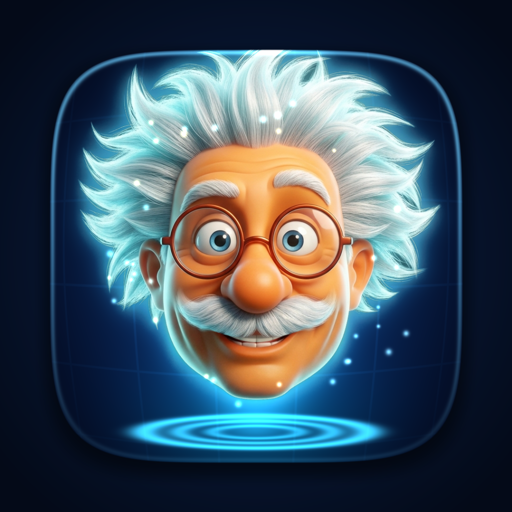




Your Private Holographic Companion

Ask the universe.
Meet Dr. Nova.

Step into a living hologram right on your screen. Ask Dr. Nova anything out loud—from why auroras glow to how ancient civilizations built wonders—and watch him come alive with expressive voice, gestures, and swirling visual worlds. Works completely offline on iPhone, iPad, and Mac.

Dr. Nova v1.0 is available now as a direct Apple-notarized Mac .DMG download—App Store & Mac App Store releases coming soon.

100% private & offline Talk naturally or type No accounts or subscriptions
Theme COSMOS INTERACTIVE PREVIEW
Dr. Nova holographic portrait

✦ Interactive Preview

“Greetings, curious mind, and welcome to Dr. Nova. Explore science, history, nature, and the cosmos. Ask me anything!”

100%
Works Offline Even on flights or off the grid
Zero
Accounts or Tracking Open the app and start asking
9
Living Visual Worlds Every topic transforms the stage
120+
Curated Curiosities One-tap sparks across 10 topics

Experience Dr. Nova

More than answers. A living moment of wonder.

Dr. Nova isn’t another plain chat window. He’s an expressive, glowing companion built to turn everyday curiosity into something delightful to watch, hear, and share.

A Living Hologram Right on Your Screen

Every session begins with a dazzling cosmic entrance before Dr. Nova floats into view above a beam of light. Watch him follow your movement, gesture with luminous hands, and surround himself with swirling ribbons of ideas that shift and sparkle as you explore.


Cosmic Entrance Expressive Gestures Swirling Ideas Cinema Mode
Dr. Nova illuminated with cyan holographic glow

Crisp, Vivid Answers

No endless walls of text. Dr. Nova replies in clear, memorable spoken explanations—and remembers your recent conversation so you can ask natural follow-up questions anytime.

Clear & Concise Follow-Up Memory Always Offline

A Warm, Expressive Voice

Dr. Nova speaks with character and clarity, with smooth facial animation synced naturally to every word. Adjust his speaking pace or dial in a subtle touch of holographic echo in Settings to make him sound just the way you like.

Just Speak—or Type Anytime

Tap the glowing orb and ask out loud, switch on Hands-Free Auto Listen for effortless back-and-forth conversation, or open the keyboard whenever you’re somewhere quiet. Live captions always keep every answer easy to read.

Hands-Free Mode Keyboard Option Live Captions
Dr. Nova listening intently with a curious expression

9 Dynamic Themes & 120+ Spark Questions

Ask about stars, wildlife, ancient Rome, or music and watch the entire room shift colors and atmosphere to match your subject. Not sure what to ask next? Tap the sparkles button to discover over 120 hand-picked curiosities.

Dr. Nova smiling warmly

Atmospheric Sound & Thoughtful Comfort

Gentle chimes, cosmic shimmers, and playful thinking music give every discovery a touch of magic—with one-tap mute anytime. Dr. Nova also respects Apple’s Reduce Motion and VoiceOver accessibility settings automatically.

Thinking Music One-Tap Mute Reduce Motion Aware

How It Works

From curiosity to wonder in seconds

Every question unfolds like a miniature show—playful, responsive, and effortless to enjoy.

01 • ASK

Speak or Type

Tap the glowing orb—or press Spacebar on Mac—and ask anything about science, space, history, nature, food, music, or everyday mysteries.

02 • EXPLORE

The Stage Transforms

The holographic chamber shifts color to match your topic while swirling ribbons of related ideas orbit Dr. Nova to gentle thinking music.

03 • ILLUMINATE

A Flash of Insight

Orbiting ideas converge in a luminous ripple and warm chime as Dr. Nova gathers a crisp, vivid explanation.

04 • DISCOVER

Watch & Listen

Dr. Nova shares his answer aloud with lively expressions, gesturing hands, and clear readable captions—ready whenever your next question strikes.

Designed for Apple

At home on Mac, iPhone, and iPad

Crafted thoughtfully for every screen—from full-screen immersion with handy keyboard shortcuts on Mac to fluid touch, haptics, and landscape layouts on iPhone and iPad.

Dr. Nova macOS
Auto Listen SFX
✦ Intro Cinema Settings
Dr. Nova speaking inside the Mac app window
“Charged particles from the solar wind collide with oxygen and nitrogen high above Earth’s poles, lighting polar skies in shimmering green and violet.”
Manual
✦ ⛶ ⚙
Dr. Nova on iPhone and iPad
“Why do dimples help a golf ball fly much farther than a smooth sphere?”

Privacy Built In

Everything stays right on your device.

Your curiosity belongs to you. Everything Dr. Nova hears, thinks, and says happens privately on your own iPhone, iPad, or Mac—with no cloud servers, no accounts, and no tracking.

  • Nothing Collected: We never collect your voice, questions, usage history, or personal information.
  • Private Microphone Use: Your voice is only used to understand your question in the moment—never recorded, saved, or uploaded.
  • Works Completely Offline: Ask questions on long flights, road trips, or remote getaways with zero internet connection.
  • No Sign-Ins or Subscriptions: No profile to create and no external setup—just open the app and start exploring.
Private On Your Device 100% Offline
Your Voice Understood right on your device—never recorded or uploaded
LOCAL
Dr. Nova’s Knowledge Self-contained inside the app—works even in Airplane Mode
LOCAL
Spoken Replies Generated instantly on-device with no cloud delay
LOCAL
Your Conversation Temporary memory you can clear anytime in one tap
PRIVATE
Cloud Servers, Tracking & Accounts NONE

Get Dr. Nova

App Store & Direct Mac Download

Choose the option that fits you best—get automatic updates through Apple’s App Store, or grab the standalone Mac .DMG installer directly.

Coming Soon

iPhone & iPad

One universal app for iPhone and iPad on the App Store.

  • Requires iOS 18 or iPadOS 18 and later
  • Tailored for both iPhone & iPad screens
  • Portrait, Landscape & Cinema Mode
  • Works completely offline right away
Coming Soon

Mac App Store

Simple one-click install with automatic App Store updates.

  • Requires macOS 14 Sonoma or later
  • For Macs with Apple silicon (M1 or newer)
  • Automatic updates & Family Sharing
  • Full-screen Cinema Mode & shortcuts
Available Now

Direct Mac Download (.DMG)

Standalone Apple-notarized installer—no store sign-in needed.

  • Requires macOS 14 Sonoma or later
  • For Macs with Apple silicon (M1 or newer)
  • Apple-notarized for peace of mind
  • Drag to Applications and start asking

Mac App Store or Direct .DMG?

Both give you the exact same Dr. Nova experience on your Mac—just pick whichever way you prefer to install apps.

Mac App Store Great if you want automatic background updates, easy reinstalls across Macs, and Family Sharing.
Direct .DMG Download Great if you prefer downloading an installer directly without signing into the Mac App Store.

Questions & Answers

Frequently asked questions

Does Dr. Nova need Wi-Fi, an account, or a subscription?

No. Once installed, Dr. Nova works completely offline with no sign-in and no ongoing subscription. You can talk to Dr. Nova on airplanes, road trips, or anywhere without an internet connection.

Which Apple devices can run Dr. Nova?

Dr. Nova works on iPhone and iPad running iOS 18 / iPadOS 18 or later, and on Macs with Apple silicon (M1 or newer) running macOS 14 Sonoma or later. Older Intel-based Macs are not supported.

Why is the app download larger than a typical app?

Everything Dr. Nova needs to understand your voice, answer questions, and speak back is included right inside the app—so you never need extra downloads later and never have to connect to the internet to use it.

When will the iPhone, iPad, and Mac App Store versions be ready?

Dr. Nova v1.0 for Mac is available now via the direct Apple-notarized .DMG download above. The iOS App Store and Mac App Store listings are coming soon and their buttons will go live here as soon as they are published.

What languages does Dr. Nova speak, and how should I use his answers?

Dr. Nova v1.0 is built for spoken and typed English conversations. He is designed for curiosity, learning, and entertainment; answers may occasionally contain inaccuracies and should not replace professional medical, legal, financial, or safety advice.

Can I type instead of speaking, or soften the visual animations?

Yes. You can switch to keyboard typing anytime, read along with expandable live captions, navigate with VoiceOver, mute sound effects in one tap, and rely on Apple’s Reduce Motion setting whenever you prefer gentler visuals.